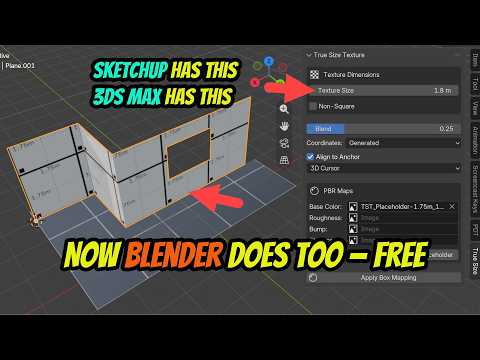
Have you ever applied a brick texture to a wall in Blender, only to realize the bricks look either massive—like giant concrete slabs—or microscopic like grains of sand? For years, 3D artists transitioning from industry-standard design tools faced this frustrating texture-scaling hurdle. In 3ds Max architecture workflows, real-world texture scaling has long been a staple feature, allowing visualization artists to effortlessly maintain precise, accurate scale across complex architectural models.
Now, that game-changing capability is finally available in Blender—completely free.
The Texturing Challenge in Architectural Visualization
Achieving realistic material scale is crucial when creating compelling architectural renders. Whether you are building exterior masonry, hardwood floors, or interior tiles, an incorrect scale instantly ruins photorealism. In traditional 3ds Max architecture pipelines, tools like UVW Map modifiers with real-world map sizing allow creators to set exact dimensions (such as a standard 20cm x 10cm brick) across multiple objects instantly.
In contrast, Blender users traditionally had to manually tweak UV maps or adjust complex mapping nodes for every single surface. If you resized a mesh, you had to readjust the UVs manually—a tedious process that consumed valuable production time.
Unlocking Real-World Scale in Blender
With the latest workflows and free tools available in the Blender ecosystem, artists can now mirror the seamless real-world scaling functionality that made SketchUp and 3ds Max architecture software so efficient for ArchViz creators.
By utilizing real-world scale texturing in Blender, you can: - Apply textures instantly: Assign materials based on actual real-world measurements without guessing UV scales. - Maintain scale consistency: Keep material sizes uniform across different objects, regardless of object size or transformation. - Speed up iteration: Swap architectural textures seamlessly without rebuilding or re-mapping your geometry.
Upgrade Your ArchViz Workflow Today
Whether you are a seasoned professional accustomed to high-end architectural software or a Blender creator looking to streamline your design process, adopting real-world texture scaling will save you hours of tedious guesswork. Stop fighting with misplaced UV coordinates and incorrect brick sizes—embrace this free workflow feature and elevate your architectural renders to professional standards today.


