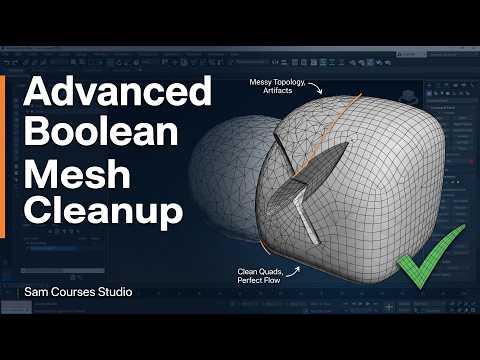
Boolean operations are among the most powerful tools in 3D modeling, allowing artists to subtract, combine, or intersect complex shapes effortlessly. However, anyone who has used these operations knows that they often leave behind messy topology, stray vertices, and awkward n-gons. If you want to elevate your 3D assets to a professional standard, learning how to handle mesh cleanup after complex Boolean subtractions in 3ds Max is an essential skill.
The Impact of Poor Topology
When performing Boolean subtractions, the software creates automatic cuts across your surfaces. While the resulting shape might look fine at first glance, the underlying wireframe frequently suffers. Unresolved n-gons and overlapping vertices can cause severe shading artifacts, rendering errors, and difficulties during the unwrapping or sculpting stages. Clean topology is not just about aesthetics—it directly impacts lighting, subdivision performance, and overall pipeline efficiency.
Core Steps for Advanced Boolean Cleanup
To achieve pristine geometry after a Boolean operation, follow a structured cleanup routine:
- Target Weld and Merge Vertices: Immediately inspect the modified area for isolated or micro-spaced vertices. Use the Target Weld tool to merge unnecessary points and simplify the perimeter.
- Reroute Edge Loops: Convert n-gons into clean quadrangles (quads) or well-placed triangles by manually connecting vertices using the Cut and Connect tools. Proper edge flow ensures predictable shading when applying modifiers.
- Remove Isolated Geometry: Check for stray vertices or unattached edges left behind by the subtraction process. Always use the Remove command rather than standard deletion to avoid creating holes in your mesh.
Leveraging Native Tools in 3ds Max
Modern workflows in 3ds Max offer enhanced features designed to streamline the post-Boolean cleanup process. Utilizing tools like the Retopology Modifier can automate much of the re-quadifying process, transforming chaotic Boolean cuts into clean, production-ready meshes in just a few clicks. Additionally, combining ProBoolean with smart smoothing group assignments keeps your hard-surface models crisp without sacrificing performance.
Mastering post-Boolean cleanup bridges the gap between quick modeling drafts and polished, professional 3D assets. By integrating these cleanup techniques into your regular workflow, you can maximize speed without compromising mesh quality.


