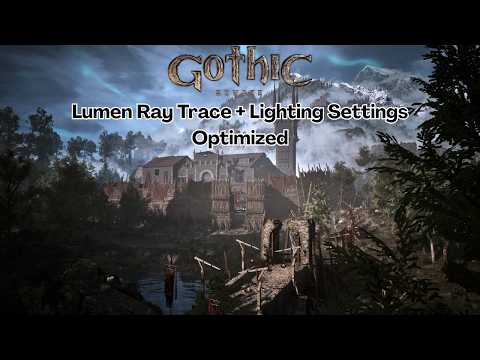
The dark and gritty atmosphere of the Valley of Mines is returning, and thanks to Unreal Engine 5, it looks more immersive than ever. The Gothic 1 Remake leverages cutting-edge technology like Lumen global illumination and Virtual Shadow Maps to bring the Colony to life. However, these advanced features can be heavy on hardware. If you want to experience the game with max lighting quality while maintaining a smooth, playable frame rate, understanding how to optimize your settings is essential.
Understanding Lumen and Software Ray Tracing
At the heart of the Gothic 1 Remake’s visual overhaul is Lumen, Unreal Engine 5’s dynamic global illumination system. Lumen utilizes Software Ray Tracing and Signed Distance Fields (SDFs) to calculate how light bounces off surfaces in real-time. Unlike traditional pre-baked lighting, this allows for dynamic day-night cycles and realistic torchlight that reacts to the environment.
To achieve max lighting without tanking your FPS, it is important to find the right balance between hardware and software ray tracing. For most mid-range builds, sticking to the software-based Lumen settings provides a massive visual upgrade over traditional methods while keeping the performance cost manageable.
The Impact of Virtual Shadow Maps
Shadows are a critical component of Gothic’s oppressive atmosphere. The remake utilizes Virtual Shadow Maps (VSM) to provide highly detailed, sharp shadows even at great distances. While VSM is visually stunning, it can be quite taxing on your GPU's VRAM. If you find your frame rate dipping in high-density areas like the Old Camp, consider lowering the shadow resolution slightly. This allows the global illumination to shine through without sacrificing too much performance.
Optimized Settings for Maximum FPS
To get the most out of your setup, we recommend starting with the "High" graphics preset and then manually adjusting the Lumen and reflection settings. By prioritizing global illumination, you can enjoy max lighting effects that define the game's modern aesthetic. Lowering secondary settings like motion blur or excessive anti-aliasing can further boost your frames, ensuring that your combat encounters with Scavengers and Snappers remain fluid and responsive.
By following these optimization steps, you can explore the barrier with breathtaking visuals and stable performance. The Gothic 1 Remake is a testament to how modern tech can revitalize a classic, provided you know how to tune it for your specific PC build.


