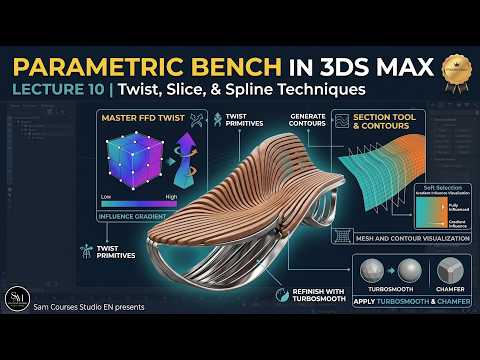
Parametric design has revolutionized modern architecture and furniture creation, blending fluid, organic forms with functional structural elements. If you want to elevate your architectural visualization skills, learning how to construct complex wooden structures like a parametric bench is one of the most rewarding techniques you can master.
Understanding Parametric Bench Design
Parametric design relies on algorithmic rules and geometric parameters to generate dynamic shapes. Instead of manually pushing and pulling individual vertices, you create flexible systems where adjusting a single curve or modifier updates the entire model automatically. Utilizing 3ds Max for parametric modeling allows artists to achieve smooth transitions, repeating slat patterns, and complex organic curves efficiently.
Step-by-Step Approach to Building the Bench
Creating a parametric bench involves a practical workflow that simplifies intricate geometry into manageable steps:
- Drafting the Base Curves: Begin by defining the overall silhouette and seating profile using splines. These guide lines establish the flow and contour of your bench.
- Generating Repeating Slats: Use array or spacing tools to duplicate cross-sectional profiles along your guide curves. This creates the characteristic ribbed appearance seen in contemporary parametric furniture.
- Applying Non-Destructive Modifiers: Leverage tools like Shell, Sweep, and FFD (Free-Form Deformation) to add thickness, depth, and smooth continuous curvature to the individual wooden slats.
- Refining Detail and Materials: Complete the model by adding realistic wood textures, gap spacing, and underlying metal support bars to ensure the piece looks photorealistic.
Why Master Parametric Workflows?
Integrating parametric techniques into your production pipeline saves immense time during client revisions. Design requests frequently involve altering curves, seat height, or slat frequency. By mastering these non-destructive techniques in 3ds Max, you can easily tweak your parameters on the fly without rebuilding the geometry from scratch.
Whether you are building portfolio pieces or delivering high-end architectural renderings, learning parametric modeling in 3ds Max gives you a powerful competitive edge. Start experimenting with these core concepts today to transform your 3D design workflow!


