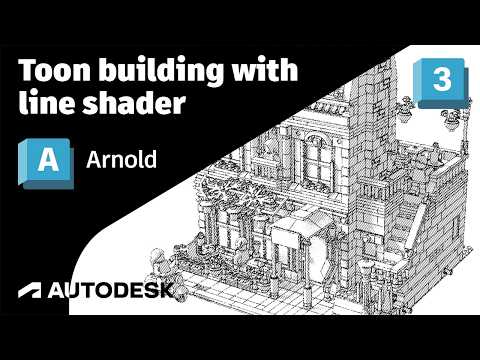
Want to give your 3D models a stylized, comic book, or technical illustration look? Achieving unique non-photorealistic rendering (NPR) effects is easier than ever with 3ds Max Arnold. By combining the Line shader, UV Transform shader, and Toon shader, you can unlock incredible creative control over your final renders.
Understanding the Illustrative Shader Setup
Creating a captivating line-art aesthetic requires more than just basic outlines. The 3ds Max Arnold Toon shader serves as a solid foundation for stylized rendering, but adding the Line shader takes your artwork to the next level. The Line shader allows artists to generate procedural lines, cross-hatching, and contour effects directly on geometry without needing complex external textures.
Unlocking Flexibility with the UV Transform Shader
To gain complete control over how your lines wrap around and sit on your 3D assets, integrating the UV Transform shader is essential. By plugging the Line shader into a UV Transform node, you can effortlessly manipulate UV coordinates. This enables you to:
- Scale, rotate, and offset line patterns across complex 3D surfaces.
- Maintain uniform hatching effects regardless of the model's native UV layout.
- Fine-tune line density dynamically to perfectly match your camera framing and artistic goals.
How to Build the Shader Network
- Set Up the Toon Shader: Start by assigning an Arnold Toon shader to your target geometry as the main base material.
- Configure the Line Shader: Introduce a Line shader to drive custom shading contours, edge attributes, or procedural patterns.
- Attach the UV Transform Node: Insert the UV Transform shader into the UV pipeline of your Line shader. Tweak scaling, rotation, and translation parameters to adjust the look in real time.
- Refine Edge and Color Settings: Fine-tune line width, tone mapping, and base color parameters within the shader network to achieve your desired illustrative look.
Conclusion
Mastering stylized shading techniques in 3ds Max Arnold opens up endless artistic possibilities beyond standard photorealism. Whether you are producing architectural concepts, graphic novels, or stylized motion graphics, combining the Toon, Line, and UV Transform shaders gives you precise, intuitive control over line work. Try incorporating this workflow into your next project to elevate your 3D render aesthetics!


