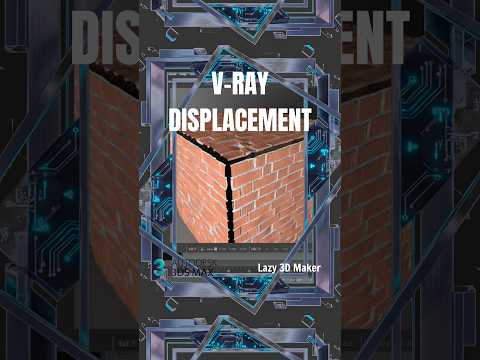
Adding lifelike detail to 3D surfaces can easily consume your valuable render time and drastically increase your polygon count. Thankfully, mastering the V-Ray Displacement Modifier in 3ds Max allows 3D artists to achieve breathtaking surface details—such as brickwork, realistic terrain, or intricate fabric patterns—without inflating the geometry.
Understanding the Power of Displacement
Unlike bump or normal maps, which merely fake the illusion of depth by manipulating lighting, displacement actually modifies the surface geometry at render time. By leveraging the power of 3ds Max alongside V-Ray, you get true shadows, authentic silhouettes, and realistic depth that traditional texturing methods simply cannot match.
How to Apply the VRayDisplacementMod
Setting up the V-Ray Displacement Modifier is a straightforward process that yields professional-grade visuals:
- Prepare Your Mesh and Map: Start with a clean base model and a high-quality 8-bit or 16-bit displacement map (grayscale height map).
- Add the Modifier: Select your target object, open the Modifier List, and choose VRayDisplacementMod.
- Assign Your Height Map: Drag and drop your displacement texture map into the "Texmap" slot inside the modifier parameters.
- Adjust the Amount: Set the "Amount" value to define how deep or raised the physical displacement will be. Start with small values to prevent extreme mesh distortion.
- Choose the Mapping Type: For standard flat surfaces or box-projected objects, select 2D mapping (landscape/flat) or 3D mapping depending on your geometry requirements.
Pro Tips for Optimal Performance
While displacement produces incredible results, it can increase render times if not managed properly. Always optimize your subdivision settings and ensure your grayscale height maps have clear contrast for crisp edge detailing.
Incorporating this streamlined workflow into your daily rendering routine in 3ds Max will dramatically elevate the visual quality of your 3D visualisations while keeping your scenes light and efficient. Give it a try on your next arch-viz or environment project!


