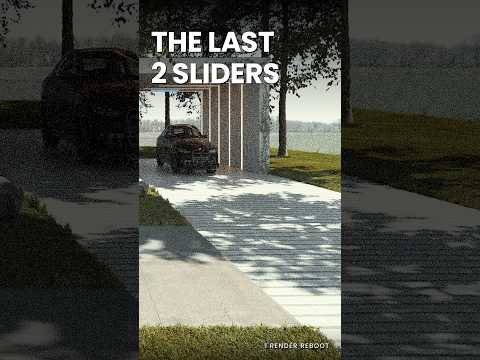
Have you ever felt like your renders are missing that "wow" factor, despite hours of tweaking textures and light sources? You aren’t alone. In the competitive world of ArchViz, many artists fall into the trap of chasing technical perfection—the perfect texture, the highest light bounces, or the most complex geometry—only to end up with a result that feels sterile and flat.
The truth is, high-quality rendering isn't about simulating every single photon; it’s about storytelling, atmosphere, and visual balance.
Stop Chasing Realism, Start Creating Impact
The "Stop Chasing Realism" philosophy is a game-changer for modern architectural visualization. Realism is a tool, not the final destination. When you focus solely on hyper-realism, you often miss the emotional resonance of the space. To truly elevate your work, you must focus on what actually makes a render work: composition, lighting hierarchy, and the final polish.
In Twinmotion, the workflow is designed for speed and real-time feedback. However, speed shouldn't come at the cost of quality. By mastering just a few key settings at the very end of your process, you can breathe life into a scene that otherwise looks "too digital."
The Final Two Sliders: The Secret Sauce
While there are dozens of settings to play with in Twinmotion, there are two specific adjustments at the end of the rendering pipeline that act as the ultimate polish. These are often the most overlooked tools in the ArchViz toolkit:
- Exposure & Contrast: This is about more than just making the image brighter. It is about defining the dynamic range. Proper exposure ensures your highlights aren't blown out and your shadows have meaningful depth, providing your images with a professional, cinematic weight.
- Color Grading & White Balance: This is where you set the mood. A subtle shift toward a warmer white balance can make a residential interior feel inviting and cozy, while a cooler tone can emphasize the sleek, professional nature of a commercial glass structure.
Why the Final Polish Matters
Focusing on these final touches allows you to move past the "CG look" that plagues so many beginner renders. By treating your render like a photograph rather than a mathematical calculation, you achieve a level of sophistication that standard settings simply cannot provide.
Ultimately, successful ArchViz is about communication. These final sliders are your last opportunity to tell the viewer exactly how they should feel when they step into your digital creation. Next time you are ready to hit the export button, stop and look at those last two sliders—they might just be the most important part of your entire workflow.


