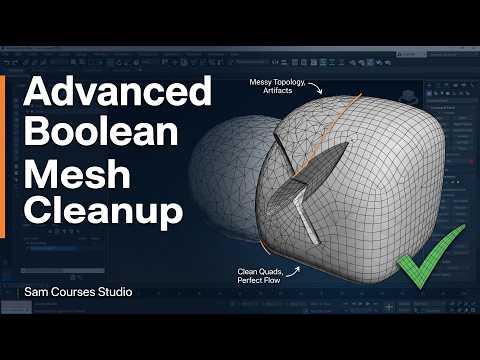
Boolean operations are among the most versatile features in a 3D artist’s arsenal, allowing you to create intricate cutouts, intersections, and combined shapes in seconds. However, any seasoned artist knows that Boolean subtraction often leaves behind a chaotic web of N-gons, stray vertices, and distorted shading.
When creating high-quality assets in 3ds Max, mastering advanced mesh cleanup is essential for achieving professional, render-ready geometry. Here is how you can tame your topology and maintain pristine models.
Why Boolean Operations Create Topology Nightmares
When you perform a Boolean operation, the software calculates geometric intersections purely based on mathematical coordinates rather than clean edge flow. This frequently results in overlapping edges, unwelded vertices, and non-manifold geometry. Without proper post-operation cleanup, these topology flaws cause severe shading artifacts when applying subdivision modifiers or displaying high-specular materials.
Core Steps for Cleaning Up Boolean Subtraction
To fix messy geometry after executing a Boolean subtract, incorporate these key workflow techniques:
- Remove Unnecessary Vertices: Use the Target Weld and Remove tools to collapse redundant vertices along straight edges. This cleans up tiny edge segments that disrupt the surface.
- Retopologize into Quads: Manually redirect edge flow using the Cut or Connect tool. Converting N-gons into clean four-sided polygons (quads) or organized triangles prevents shading errors.
- Weld Nearby Vertices: Apply a subtle vertex weld threshold to ensure all seams are completely sealed. Unwelded vertices create microscopic gaps that ruin surface continuity.
- Reset Smoothing Groups: Recalculate your face normals or assign explicit smoothing groups to instantly eliminate dark patches and surface glithes across flat areas.
Streamlining Your Hard-Surface Workflow
Utilizing Boolean subtraction is one of the fastest methods to cut complex details into your models inside 3ds Max. To keep your workflow efficient and non-destructive, always maintain a duplicate backup of your base mesh before collapsing the modifier stack. This guarantees you can easily revert changes if the resulting topology requires extensive manual rebuilding.
Final Thoughts
Messy geometry doesn't have to slow down your production pipeline. By mastering these post-Boolean cleanup techniques in 3ds Max, you can seamlessly combine speed and precision in your hard-surface modeling projects. Take control of your topology today and elevate the visual fidelity of your 3D renders!


