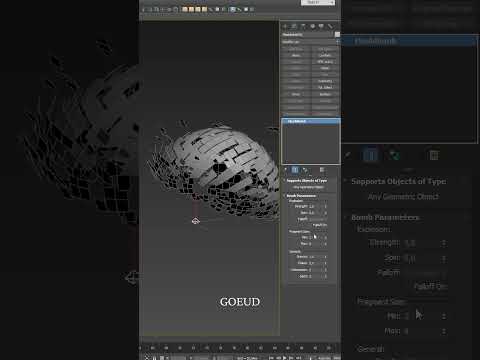
Have you ever wanted to break down your 3D models into their core components or add a high-impact cinematic effect to your portfolio? Whether you are creating a complex architectural visualization or a detailed product render, knowing how to "explode" an object is a powerful skill that adds depth and storytelling to your work. By mastering the 3ds Max corona renderer workflow, you can achieve stunning results that highlight every intricate detail of your design.
Why Use an Exploded View?
In the world of professional rendering, an exploded view serves two main purposes. First, in architectural visualization (ArchViz), it allows you to show the "layers" of a room—separating furniture, walls, and structural elements to show how a space is constructed. Second, it can be used for artistic destruction effects, giving your scene a sense of motion and energy. Regardless of your goal, the combination of 3ds Max’s robust modeling tools and Corona’s photorealistic output makes the process seamless.
Techniques for Exploding Objects
There are several ways to approach this within the software. For a technical "exploded axonometric" view, you might manually animate the transformation of different parts along their local axes. However, for a more literal explosion, you can use 3ds Max’s built-in modifiers or particle systems to shatter geometry into realistic fragments.
The real magic happens during the shading and lighting phase. Using the 3ds Max corona renderer, you can take advantage of the LightMix tool to ensure that even the internal parts of an exploded object are perfectly illuminated. Because exploding an object creates many new surfaces and cavities, Corona’s high-quality global illumination is essential for capturing realistic light bounces between the fragments.
Enhancing the Final Render
To make your explosion look professional, pay close attention to materials. When an object breaks apart, the interior surfaces should have different textures than the exterior. Furthermore, adding a touch of motion blur via the Corona Physical Camera can give the fragments a sense of speed and realism.
If you are looking to elevate your rendering game, focusing on the 3ds Max corona renderer ecosystem is one of the best investments you can make for your career. Mastering these dynamic techniques will not only make your work stand out but also provide a clearer understanding of spatial relationships in your 3D scenes. For more expert tips and professional training, stay tuned to the latest tutorials and industry workflows.


