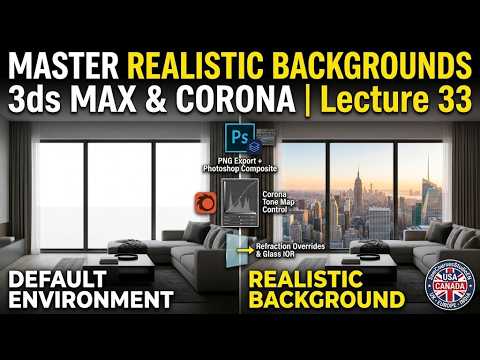
Creating believable 3D interior renders requires more than just high-poly furniture and dynamic lighting. One of the most critical—yet frequently overlooked—aspects of a breathtaking architectural visualization project is a realistic background. Whether you are displaying a city skyline through a penthouse window or a lush garden outside a modern villa, mastering your background workflow in 3ds Max and Corona Render can instantly elevate your final image.
Setting Up Your Background Environment
To build a seamless background, start by selecting high-resolution HDRI maps or professional 2D backplates. The key to believability lies in matching the horizon line and lighting of your background image to your internal camera angle. Positioning mapped planes or curved background geometry directly inside your viewport gives you maximum control over scale, parallax, and camera composition.
Elevating Realism with Proper Shader Adjustments
A simple image applied to a background plane often looks flat or artificial under Corona's physically-based path tracing. To overcome this, pay special attention to your 3ds Max texture mapping properties. Utilizing a Corona Light Material (or self-illumination maps) allows your background to cast natural ambient light into the room without blowing out the visual details. By fine-tuning the intensity, gamma, and mapping scale of your 3ds Max texture, you prevent harsh reflections and maintain realistic depth of field.
Aligning Exterior Lighting with Corona Render
For true visual harmony, your background environment must interact naturally with your interior lighting setup. Sync your Corona Sun and Sky directional settings with the sunlight present in your background image. Additionally, enabling Depth of Field (DOF) within your Corona Camera settings will gently blur distant elements, seamlessly blending your exterior view into the background while keeping the main focus on your interior architecture.
Conclusion
Achieving photorealistic interior renders is all about controlling the finer details. By refining your 3ds Max texture workflow and integrating background environments effectively with Corona Render, you can turn flat backplates into stunning, lifelike views that pull viewers straight into your 3D world.


