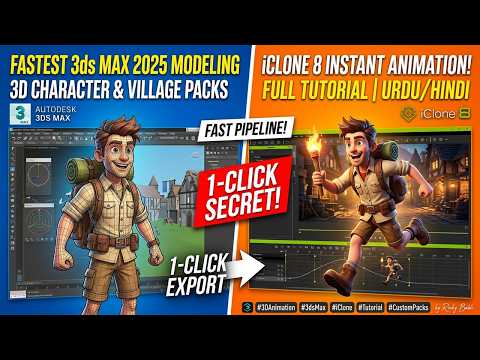
Creating stunning 3D models and bringing them to life through realistic animation can often feel like a time-consuming process. For game developers and 3D artists, the bridge between modeling software and animation pipelines is critical. Fortunately, combining the power of 3ds Max 2025 and iClone 8 unlocks a game-changing 1-click secret that drastically reduces production time when crafting 3ds Max game assets.
Why Combine 3ds Max 2025 and iClone 8?
Autodesk 3ds Max remains one of the industry-standard tools for detailed environment creation, hard-surface modeling, and complex prop design. However, when it comes to rapid character animation, physics simulation, and real-time motion capture, iClone 8 stands out as an unmatched power tool.
By establishing an efficient pipeline between these two software suites, creators no longer need to endure complicated export settings or manual rigging routines. You can design high-fidelity 3ds Max game assets and immediately jump into dynamic animation sequences with minimal hassle.
The 1-Click Secret Explained
So, how does this 1-click workflow operate? It relies on optimized export configurations and direct integration tools that allow models, textures, and bone structures to transfer instantly:
- Prepare Your Mesh: Ensure your geometry and material IDs are properly organized inside 3ds Max 2025.
- One-Click Transfer: Utilize automated bridge settings or optimized FBX export presets designed specifically for iClone integration.
- Apply Instant Motion: Once imported into iClone 8, leverage its massive library of pre-built mocap motions, facial expressions, and real-time physics controls.
This direct connection eliminates common file conversion errors such as flipped normals, broken bone hierarchies, or missing texture maps.
Elevating Your Game Development Pipeline
For indie game creators and studio artists alike, production speed is everything. Utilizing this fast-track method to bring your 3ds Max game assets into an interactive animation setup gives you more time to focus on story, world-building, and gameplay mechanics.
Whether you are building environmental props, custom weapons, or fully rigged characters, mastering this 1-click workflow between 3ds Max 2025 and iClone 8 will revolutionize your modern 3D production pipeline. Give this seamless process a try today and take your game development projects to the next level!


