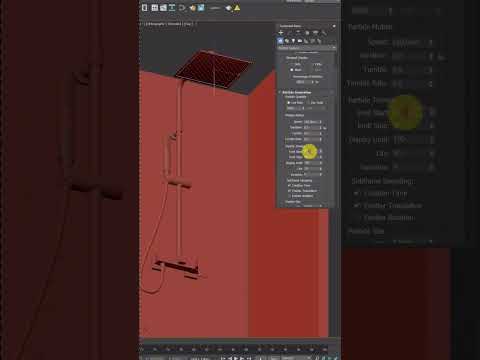
Creating realistic fluids is a cornerstone of professional 3D design, adding a layer of dynamism and life to any architectural visualization or cinematic scene. In this 3ds Max tutorial, we dive into the specific techniques required to transform static geometry into a convincing flow of moving water. Whether you are building a serene garden fountain or a rushing mountain stream, mastering these animation principles is essential for any aspiring 3D artist.
Setting the Foundation for Fluid Dynamics
The first step in creating high-quality water animation involves understanding the interaction between your geometry and the motion modifiers. In 3ds Max, there are several ways to approach this, ranging from using simple procedural maps to more complex particle systems. For this specific lesson, we focus on the most efficient workflow for creating "flowing" motion along a surface.
By utilizing modifiers like "Noise" or "Displacement" coupled with strategic keyframing, you can simulate the rhythmic ripples of a current without the heavy computational overhead of a full liquid simulation. This 3ds Max tutorial emphasizes the importance of the "Phase" parameter, which allows the texture to evolve over time, giving the illusion of constant, unidirectional flow.
Animating the Flow and Direction
To make the water look like it is actually traveling, you must align your coordinate system with the direction of the water’s path. Using the UVW Map modifier allows you to control how the water texture flows across your mesh. By animating the offset of your material’s diffuse and bump maps, you create a seamless loop of moving liquid.
Precision is key here. Adjusting the gizmo of your mapping coordinates ensures that the water follows the contours of your 3D model naturally. Following this 3ds Max tutorial method ensures that your animation remains fluid and avoids the common pitfall of "sliding" textures that break the immersion for the viewer.
Refining Materials and Final Output
No water animation is complete without the right material setup. To achieve realism, focus on the Index of Refraction (IOR) and the Fresnel reflections. Water typically has an IOR of 1.33, which dictates how light bends as it passes through the surface. When combined with the animated displacement, the light will dance across the surface, creating those caustic-like highlights that characterize real water.
By the end of this lesson, you will have a deep understanding of how to balance motion, geometry, and lighting to create stunning visual effects. Practice these steps to bring a new level of professionalism to your 3D portfolio.


