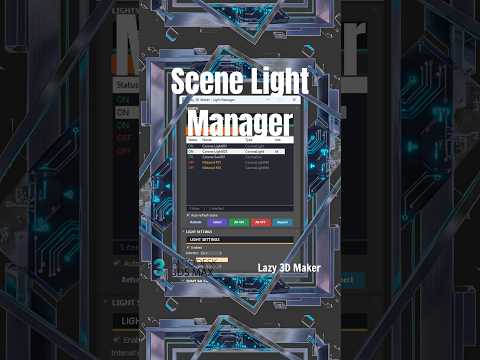
Lighting is the soul of any 3D scene. It sets the mood, highlights architectural details, and brings a sense of realism to digital environments. However, as projects grow in complexity, managing dozens of individual light sources can become a tedious and time-consuming task. For professionals working on 3ds Max architecture projects, efficiency is just as important as aesthetic quality. This is where the Scene Light Manager comes into play.
The Power of Centralized Control
Managing light intensities, colors, and states across a massive scene can often feel like a game of hide-and-seek. Whether you are utilizing V-Ray or Corona Renderer, the Scene Light Manager serves as a centralized command center. Instead of clicking through individual objects in your viewport, this tool allows you to view all lights in a single list. You can toggle visibility, adjust multipliers, and change temperatures globally, ensuring that your workflow remains fluid and organized.
Streamlining Your Workflow with the Lazy 3D Maker Script
One of the best ways to speed up your production in 3ds Max architecture is by utilizing specialized scripts. The "Lazy 3D Maker" script is a fantastic companion for those who want to cut down on repetitive tasks. By combining the organizational power of the Scene Light Manager with smart scripts, you can focus more on the creative aspects of your design rather than the technical minutiae. This synergy is essential for meeting tight deadlines without sacrificing the quality of your 3D modeling.
Tips for Professional Architectural Visualization
To get the most out of your lighting setup, consider these quick tips: 1. Naming Conventions: Always name your lights based on their function (e.g., "Kitchen_Pendant_01"). This makes the Scene Light Manager even more effective. 2. Instance Wisely: Use instances for similar light fixtures so that a single change in the manager updates the entire group. 3. Layering: Keep your lights on a dedicated layer to maintain a clean project structure.
Mastering these tools is a game-changer for anyone specializing in 3ds Max architecture. By taking control of your scene’s illumination through the Scene Light Manager, you not only save hours of production time but also achieve a level of polished realism that will make your architectural renders stand out from the competition.


