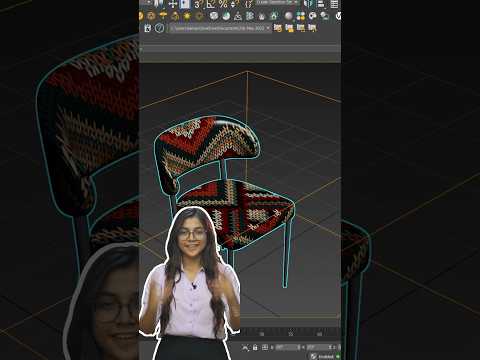
Have you ever applied a realistic wood grain or tile texture to your 3D model, only to find it stretched, rotated incorrectly, or completely out of scale? Getting seamless textures is essential for high-end 3D visualization. In a professional 3ds Max vray workflow, texture mapping glitches can slow down your production and ruin an otherwise photorealistic render.
Fortunately, you do not need to start your unwrapping process from scratch. The UVW XForm modifier is a lightweight, non-destructive tool that lets you fix mapping issues in seconds.
What is the UVW XForm Modifier?
The UVW XForm modifier allows you to control the tiling, offset, and rotation of existing texture coordinates on an object. Unlike standard UVW Mapping, which replaces the coordinate system entirely, UVW XForm works on top of existing UV map channels. This means you can manipulate textures without altering the underlying geometry or resetting your complex unwrap setups.
Why Use UVW XForm in 3ds Max V-Ray Pipelines?
When building complex interior scene materials in a 3ds Max vray setup, re-using 3D assets is common practice. However, scaling or cloning objects often distorts material maps.
Using UVW XForm provides several distinct advantages: * Modifier Stack Safety: Adjust textures non-destructively without collapsing your modifier stack. * Instant Material Tweaks: Easily adjust scale or direction on specific sub-objects or multi-sub materials. * Streamlined Arch-Viz Workflow: Perfect for aligning floorboards, brick patterns, and fabric weaves instantly before rendering with V-Ray.
How to Fix Distorted Textures Step-by-Step
Fixing mapped textures using UVW XForm is straightforward:
- Select the Mesh: Choose the object displaying distorted or misaligned materials.
- Apply UVW XForm: Open the Modifier List and add UVW XForm.
- Adjust Tiling: Modify the U, V, or W Tile values to quickly increase or decrease the texture scale.
- Fix Alignment: Adjust the Rotation settings (e.g., rotate 90 degrees) to orient wood grain or tile directions properly.
- Set Offsets: Fine-tune the U/V Offset values to align brick joints or seam lines with the edges of your mesh.
Final Thoughts
Mastering simple utility tools like the UVW XForm modifier is key to speeding up your rendering phase. By integrating this quick fix into your everyday 3ds Max vray toolkit, you will maintain cleaner modifier stacks, eliminate texture distortion, and deliver flawless architectural visualizations every time.


