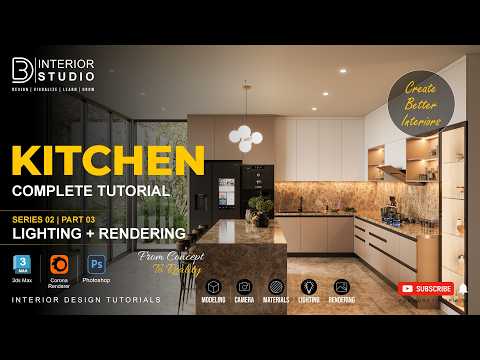
Creating stunning 3D architectural visualizations requires a keen eye for detail, dynamic lighting, and above all, photorealistic textures. In this installment of our complete kitchen tutorial series using 3ds Max and Corona Renderer, we dive deep into the essential techniques needed to bring your interior scenes to life with realistic surfaces and shading.
Creating Realistic Kitchen Surfaces
A primary factor in achieving photorealism lies in how you construct your surface shaders. Kitchen interiors demand a wide variety of surface properties—from high-gloss polished marble countertops and brushed stainless steel appliances to warm, matte wooden cabinetry. Mastering 3ds Max materials within the Corona Renderer framework allows you to emulate these real-world physical properties with remarkable accuracy.
By utilizing Corona Physical Materials, you can easily control roughness, anisotropy, and Index of Refraction (IOR). To avoid the artificial "cg look," always incorporate surface imperfections such as subtle scratches, dust, or fingerprints into your roughness maps. Adding these micro-details to your 3ds Max materials instantly elevates your scene, making it feel authentically lived-in.
Lighting Interplay and Shader Refinement
High-quality materials only look as good as the light hitting them. Once your base textures are mapped, fine-tuning how natural and artificial light interacts with your kitchen surfaces is crucial.
Using Interactive Rendering in Corona is the most efficient way to preview adjustments in real time. Pay close attention to how reflection glossiness behaves on reflective surfaces like backsplash tiles and cabinet finishes under different light angles. Tweak your map scales and bump intensities until the textures react naturally to both daylight and interior fixtures.
Final Thoughts
Developing realistic architectural renders is an iterative process, but having a structured material workflow makes all the difference. By understanding how to map, layer, and adjust 3ds Max materials efficiently, you can dramatically increase the visual quality of your interior visualizations while cutting down on overall production time.


