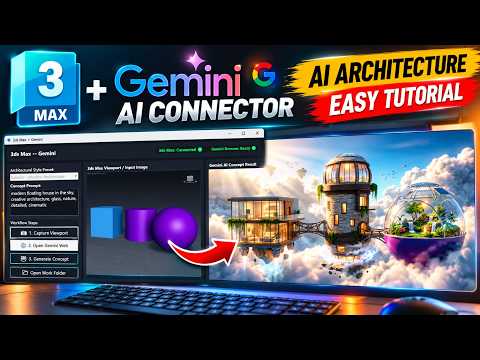
In the rapidly evolving world of architectural visualization, staying ahead of the curve means embracing the power of Artificial Intelligence. Imagine being able to brainstorm architectural concepts and iterate designs without ever leaving your 3D workspace. With the new Gemini AI Connector, this is now a reality. This tutorial explores how you can leverage a specialized 3ds Max script to bridge the gap between your 3D models and Google’s powerful Gemini AI.
The Power of AI in 3ds Max
Traditionally, generating multiple design variations meant hours of manual modeling and material tweaking. However, by integrating AI directly into your pipeline, you can generate creative architectural concepts in seconds. The Gemini AI Connector functions by taking your current viewport or a specific camera angle and sending it to the Gemini API. By using a custom 3ds Max script, the process becomes seamless, allowing for a bidirectional flow of information that enhances your creative output and simplifies complex rendering decisions.
Streamlining Your Design Process
Setting up the connector is straightforward. Once the 3ds Max script is installed, users can input text prompts to guide the AI. Whether you want to see your building in a "futuristic cyberpunk city" or a "minimalist Scandinavian landscape," the AI interprets your geometry and applies textures, lighting, and environmental context that fit your vision. This tool isn't just about making "pretty pictures"; it’s about rapid prototyping and exploring "what if" scenarios that would otherwise take days to visualize manually.
Why Every Architect Needs This Tool
The synergy between 3ds Max and Gemini AI represents a major shift in how we approach design. It allows architects to focus on the core structure and intent, while the AI assists with aesthetic exploration and environmental storytelling. This workflow reduces the friction between the initial idea and the final visualization, making it an essential addition to any modern designer's toolkit.
By automating the conceptual phase, you can present clients with a variety of high-quality options early in the project lifecycle. Embracing these AI-driven tools ensures that your workflow remains efficient, competitive, and, most importantly, inspired. Stop spending hours on basic iterations and start letting AI handle the heavy lifting of conceptualization directly within your favorite 3D software.


