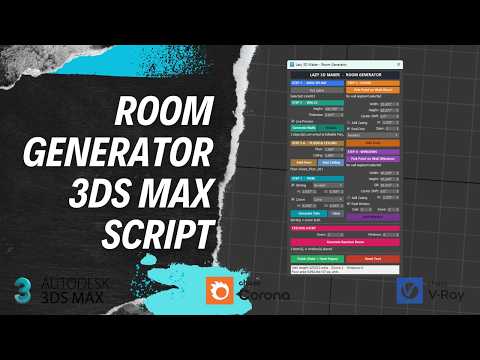
Creating detailed architectural spaces in Autodesk 3ds Max can be a time-consuming process, especially when working on complex interior layouts. While mastering standard 3ds Max shortcuts can significantly speed up your daily workflow, automating repetitive modeling tasks with custom scripts takes your productivity to an entirely new level.
One of the most effective tools for architectural visualization (ArchViz) artists is the Lazy Room Generator script. Designed to streamline your 3D modeling pipeline, this handy script works seamlessly alongside popular rendering engines like V-Ray and Corona Renderer.
What is the Lazy Room Generator Script?
The Lazy Room Generator is a specialized MaxScript designed to quickly generate 3D room geometries, walls, and base structures with minimal manual input. Instead of extruding splines and adjusting polygon heights manually, this script automates the tedious steps, allowing you to build clean 3D environments in seconds.
Whether you are preparing an arch-viz scene for Corona Renderer or building intricate interior setups for V-Ray, this script removes the friction from foundational 3D modeling.
How to Install and Run the Script in 3ds Max
Installing third-party scripts in Autodesk 3ds Max is quick and straightforward:
- Download the Script: Acquire the Lazy Room Generator script file (usually a
.msor.mcrformat). - Install via Drag-and-Drop: Open 3ds Max and drag the script file directly into any active viewport. Alternatively, navigate to
Scripting>Run Scriptfrom the top menu bar and select the file. - Access the Interface: Go to
Customize>Customize User Interface, locate the script under its category, and assign it to a custom toolbar button or hotkey for rapid access.
Maximize Efficiency in Your Modeling Workflow
Integrating custom automation scripts alongside your favorite 3ds Max shortcuts creates an incredibly fast environment for architectural visualization. Using quick hotkeys to switch viewports, toggle wireframes, or isolate selections—combined with automated room generation—allows you to draft complex interior scenes in a fraction of the usual time.
By pairing powerful scripts like the Lazy Room Generator with essential 3ds Max shortcuts, you can stop wasting time on repetitive geometry creation and spend more energy refining lighting, texturing, and final renders. Try adding this script to your toolkit today to transform your 3D modeling workflow!


