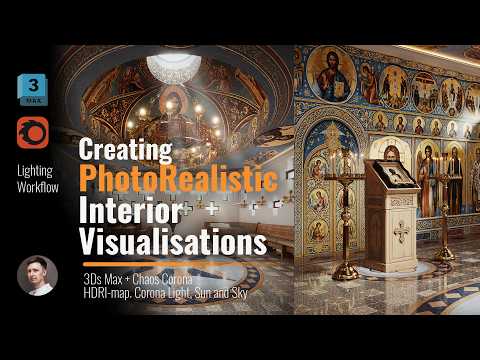
Achieving high-end architectural visualization doesn't have to be overwhelming. If you want to elevate your interior renders to a professional standard, using the 3ds Max corona renderer is one of the most efficient ways to produce photorealistic, three-dimensional imagery. Whether you are an arch-viz artist or a beginner, mastering natural lighting and realistic materials is key to bringing vibrant, high-contrast scenes to life.
Master Natural Lighting with HDRI and Corona Sun
Lighting sets the mood and defines the realism of your entire scene. A proven approach for interior setups is combining an HDRI map with the built-in Corona Sun and Corona Light systems.
HDRIs provide nuanced, realistic ambient skylight that fills the room naturally. Meanwhile, adding a Corona Sun allows you to control sharp directional light, producing realistic shadow drop-offs and depth. This combination creates crisp, high-contrast light rays streaming through windows, instantly giving your space a captivating, three-dimensional look.
Craft Lifelike Materials and Textures
A scene is only as believable as its surfaces. To achieve true photorealism, pay close attention to physically-based material properties. Corona Renderer simplifies PBR workflows, allowing you to fine-tune reflection glossiness, bump maps, and displacement with ease.
Focus on adding subtle micro-imperfections—such as light scratches on wooden furniture, roughness variation on metals, and realistic fabric displacement. These tiny details prevent your 3D models from looking artificially smooth and flat.
Fine-Tune Tone Mapping and Contrast
One of the biggest advantages of working within the 3ds Max corona renderer is its powerful Virtual Frame Buffer (VFB). Rather than spending hours in external post-processing software, you can adjust exposure, contrast, highlight compression, and LUTs directly in real-time.
By tweaking the tone mapping controls, you can lift dark shadows, soften harsh highlights, and enhance overall color saturation. This ensures your final image maintains maximum detail while delivering a polished, cinematic presentation.
Final Thoughts
Creating stunning interior visualisations is a balance of technical precision and artistic vision. By mastering HDRI lighting, realistic material setup, and Corona’s built-in tone mapping features in the 3ds Max corona renderer, you can consistently create photorealistic renders that impress clients and elevate your visual portfolio.


