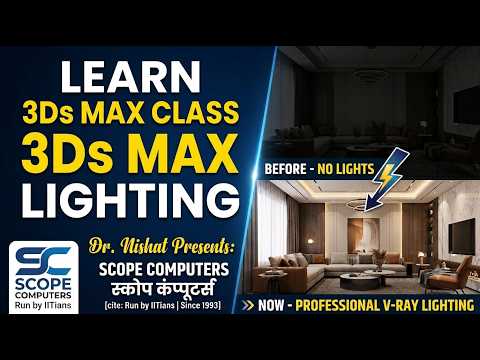
Creating photorealistic 3D interior renders is an art form, and the secret behind every breathtaking image lies in mastering illumination. Whether you are an aspiring architectural visualizer or an experienced 3D designer, understanding the nuances of 3ds Max lighting is essential for bringing your virtual spaces to life.
In this guide, based on expert insights from Dr. Nishat at Scope Computers, we will explore fundamental techniques to transform flat 3D models into vibrant, realistic interior scenes using V-Ray in 3ds Max.
The Importance of Realistic Interior Lighting
Lighting does far more than simply illuminate a scene; it sets the mood, directs the viewer’s eye, and defines the texture and depth of your materials. Incorrect light placement or improper intensity settings can instantly make a high-detail model look artificial. By leveraging professional 3ds Max lighting setups, you can simulate natural sunlight streaming through windows, soft ambient fills, and focused artificial spotlights with striking accuracy.
Key Steps to Light an Interior Scene with V-Ray
To achieve cinematic photorealism in your V-Ray interior renders, follow these essential workflow steps:
- Set Up Natural Environment Lighting: Start by adding a V-Ray Sun and V-Ray Sky system. Position the sun to cast dramatic daylight and realistic shadows through window openings into your interior space.
- Balance Ambient and Artificial Lights: Place soft V-Ray plane lights over windows to amplify daylight entry. Next, introduce interior artificial sources—such as recessed ceiling lights, pendant lamps, or floor lamps—using IES (Illuminating Engineering Society) light profiles for authentic beam shapes.
- Adjust Exposure and Temperature: Fine-tune your V-Ray Physical Camera settings. Balance your shutter speed, ISO, and aperture to achieve optimal exposure without overexposing highlights or losing details in dark corners. Pay attention to color temperature—warm indoor lights contrast beautifully with cool outdoor daylight.
Optimize Render Settings for Speed and Quality
Achieving photorealism requires a solid understanding of Global Illumination (GI). Use V-Ray's GI engines to calculate light bounces effectively, ensuring smooth light distribution across walls and ceiling corners. Refining your 3ds Max lighting techniques alongside proper noise limit adjustments will drastically reduce render times while preserving crisp details.
Final Thoughts
Mastering lighting in 3ds Max takes patience, practice, and a keen eye for real-world light behavior. By applying these structured V-Ray lighting principles, you will elevate the visual quality of your 3D architectural projects and create portfolio-ready interior renders.


