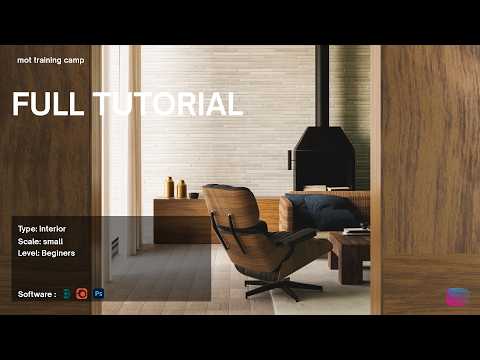
Creating lifelike interiors in architectural visualization (Archviz) often comes down to the smallest details. One of the most critical elements in any indoor scene is the flooring. Whether you are aiming for polished hardwood, rustic stone, or sleek marble, your choice of 3ds Max texture and how you apply it can make or break the immersion of your final render.
Why Flooring Matters in Archviz
The floor is typically one of the largest surfaces in an interior render. It reflects light, defines the color palette, and sets the mood for the entire room. In this guide, inspired by the MTC Architectural Visualization series, we explore the professional workflow required to create high-quality floor shaders that look indistinguishable from reality. A well-crafted floor doesn't just fill space; it provides a foundation of realism that grounds every other object in the scene.
Crafting the Perfect 3ds Max Texture
To achieve a high-end look, you need more than just a simple image file. Professional 3D artists use a multi-layered approach to material creation. The secret to a convincing 3ds Max texture lies in the maps you use beyond the base color (diffuse).
To get the best results, you should focus on: * Reflection and Glossiness: Real floors are rarely perfectly matte or perfectly mirror-like. Use a grayscale map to vary the glossiness across the surface. * Bump and Displacement: To simulate the grout between tiles or the grain in wood, a bump map is essential. This adds depth and allows light to catch on the edges of the texture. * Scale and Mapping: Always ensure your UVW Mapping is set to real-world proportions so the texture doesn't look stretched or unnaturally large.
Lighting and Final Refining
Once your 3ds Max texture is applied, it is time to see how it reacts to your lighting setup. In architectural visualization, lighting and texturing are two sides of the same coin. Using high-quality HDRI maps or dedicated interior lights will bring out the micro-details in your floor shader. By fine-tuning the way light grazes the surface, you can highlight subtle imperfections that add a sense of "lived-in" authenticity to your work.
Mastering these shading techniques is a fundamental skill for any aspiring 3D artist. By following a systematic approach to floor textures, you can elevate your interior scenes from basic digital models to photorealistic masterpieces.


