Creating hyper-realistic 3D visualizations requires extreme attention to the finest details. In the world of architectural visualization and 3D asset creation, nothing reveals an artificial 3D model faster than razor-sharp, perfectly square edges. That is where mastering hard-surface editing techniques becomes crucial. If you are looking to elevate your arch-viz projects, understanding how to optimize your modeling workflow for the 3ds Max corona renderer pipeline is an essential skill every artist should master.
Why Chamfering Matters for Photorealism
In the real world, virtually no object possesses a perfectly sharp 90-degree edge. Everything from wooden furniture to molded plastic features a slight bevel or rounded border. When natural or artificial light hits these rounded edges, it creates subtle specular highlights that define the object's form and impart realistic depth.
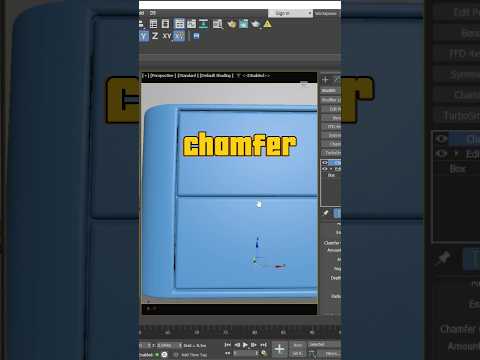
The Chamfer tool and modifier in 3ds Max allow you to smoothly round off harsh geometry. By creating beveled edges, you enable your rendering engine to capture authentic light reflections that bring your scene to life.
Step-by-Step: Editing Models with the Chamfer Tool
To refine your 3D geometry effectively before rendering, follow these fundamental steps:
- Select Your Object: Convert your base object into an Editable Poly or apply an Edit Poly modifier.
- Select Target Edges: Enter Edge sub-object mode and select the specific hard edges you want to smooth out.
- Apply the Chamfer Modifier: Add a Chamfer modifier from the modifier stack. Adjust the Amount to control the width of the bevel, and increase the number of Segments to ensure a smooth curve.
- Optimize Geometry: Utilize Quad Chamfer options to maintain clean polygon topology, which prevents shading artifacts and pinching during the render phase.
Maximizing Quality with Corona Renderer
Once your geometry is cleanly chamfered, lighting and material setup become far more impactful. A proper 3ds Max corona renderer workflow takes full advantage of detailed geometry. Corona’s physically accurate engine seamlessly calculates how light glints off these newly rounded edges, delivering photorealistic results in your final frame.
While Corona also offers a bump-map alternative (CoronaRoundEdges) for distant objects, manually chamfering critical edges in 3ds Max remains the gold standard for close-up hero shots.
Conclusion
Mastering fundamental modeling tools like Chamfer is a quick way to significantly upgrade the quality of your renders. By combining precise geometry edits with the rendering power of the 3ds Max corona renderer, you can transform simple shapes into stunning, photorealistic assets. Start tweaking your edge bevels today and watch your 3D portfolio reach new levels of realism!


