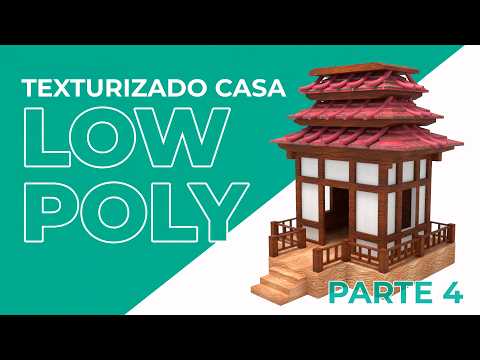
Low poly 3D art has become immensely popular in modern game design and digital illustration due to its minimalist charm and efficient performance. Once your low poly house model is built, bringing it to life with vibrant textures and balanced shading is the crucial next step. In this guide, we will explore the fundamentals of texturing a low poly house using 3ds Max Arnold to achieve a clean, professional finish.
1. Preparing Your Low Poly Asset for Texturing
Before diving into material creation, ensure your low poly asset is clean and organized. Group similar structural elements together—such as the roof, wooden beams, walls, and window frames—to streamline your workflow. Depending on your artistic preference, you can either map your geometry onto a single color-palette texture or assign distinct material IDs directly to faces for a quick, stylized flat-shading look.
2. Setting Up Shaders in 3ds Max Arnold
The real magic happens when you configure your shading network. Utilizing 3ds Max Arnold gives you direct access to the powerful Arnold Standard Surface shader (aiStandardSurface), which is ideal for both stylized and realistic assets.
- Base Color: Connect your color palette or diffuse textures directly to the Base Color channel.
- Specular Roughness: For stylized low poly models, keep specular roughness relatively high (around 0.5 to 0.8). This avoids harsh glossy highlights that could disrupt the clean, matte aesthetic.
- Emission (Optional): To make windows look illuminated, apply a subtle warm color to the Emission channel to create an inviting interior glow.
3. Lighting and Rendering the Scene
Texturing relies heavily on light to show off form and depth. A simple Skydome light combined with a directional Sun light allows Arnold to cast soft ambient shadows across the angled facets of your low poly geometry, bringing out the architectural detail without complex shader setups.
Final Thoughts
Mastering stylized texturing techniques in 3ds Max Arnold opens up endless creative possibilities for environment design and game asset creation. By combining simple UV mapping with Arnold's robust shading tools, your low poly models will stand out with a polished visual appeal. Start experimenting with color palettes today and bring your 3D scenes to life!


