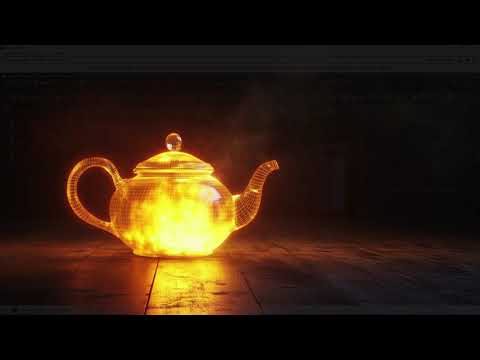
Lighting is the soul of any 3D scene, and when it comes to creating complex, realistic environments, standard point and spot lights often fall short. If you are looking to take your renders to the next level in 3ds Max arnold, mastering the Mesh Light is an absolute necessity.
In this guide, we will explore how the Mesh Light feature allows you to transform any 3D geometry into a high-quality light source, perfect for neon signs, glowing sci-fi panels, and intricate lamp designs.
What is an Arnold Mesh Light?
An Arnold Mesh Light is a powerful tool that converts a geometric object into a light-emitting surface. Instead of faking a glow with emissive materials—which can often lead to "fireflies" or noisy renders—the Mesh Light treats the object as an actual light source within the Arnold engine. This results in more accurate shadows, better light decay, and more realistic interactions with surrounding materials.
Setting Up Mesh Lights in 3ds Max Arnold
The process of setting up a Mesh Light is straightforward but offers deep customization. Once you have created your 3D geometry, you can assign it as a mesh light through the Arnold Light properties. By using 3ds Max arnold, you gain access to a unified workflow where you can easily toggle between different light types while maintaining consistent color temperatures and intensity scales.
Key Features and Settings to Master
To get the most out of your lighting, you need to understand the core settings: * Intensity and Exposure: These work together to control the brightness. Use Exposure for more drastic changes, as it behaves like a camera's f-stop. * Color and Texture: You aren't limited to a single color. You can map textures to your Mesh Light to create varied lighting patterns across the surface of your object. * Samples: If your shadows look grainy, increasing the sample count will help clean up the noise, though it will increase render times slightly. * Visible in Refractions/Reflections: This allows you to decide if the light source itself should appear in mirrors or through glass materials.
Why Use Mesh Lights?
The primary advantage of using a Mesh Light in 3ds Max arnold is its flexibility. Whether you are designing a sleek architectural visualization with hidden LED strips or a cyberpunk city filled with neon advertisements, Mesh Lights provide the most physically accurate way to light your scene. They allow the light to follow the contours of your model, providing a level of detail that standard primitives simply cannot match.
By integrating these techniques into your workflow, you can move away from "flat" renders and start producing cinematic, professional-grade 3D art.


