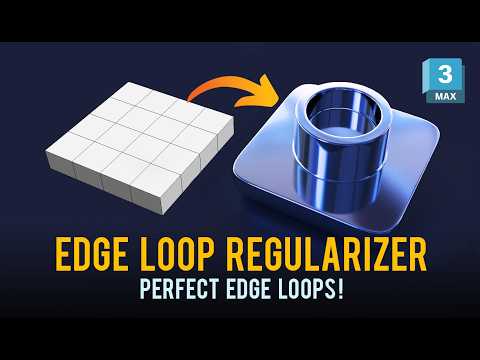
Achieving perfect geometry on a curved surface is one of the most common hurdles for 3D artists. Whether you are modeling complex mechanical parts or intricate architectural details, creating a perfectly circular hole without causing surface pinching is a skill every professional needs to master. In this guide, we will explore how to use the Edge Loop Regularizer in 3ds Max to streamline your modeling workflow and ensure your meshes remain clean and professional.
The Challenge of Curved Topology
When you manually try to "eye-ball" a circular opening on a curved mesh, you often end up with uneven edge distribution. This leads to unsightly shading artifacts once a Subdivision Surface modifier is applied. The Edge Loop Regularizer tool (often found within the Loop Tools set) solves this by mathematically rearranging selected vertices or edges into a perfect circle or a perfectly spaced loop while maintaining the underlying curvature of the object.
Step-by-Step: Creating Perfect Holes
To get started, select the polygon or the set of edges where you want your opening to be. After performing an initial inset to protect the surrounding geometry, you can invoke the Regularizer. This instantly snaps the selected edges into a circular shape.
The beauty of using these tools within 3ds Max is the precision they offer. Instead of moving vertices one by one, the regularizer calculates the average distance between points, ensuring that your topology remains uniform. This uniformity is crucial for high-quality bakes and smooth reflections in your final renders.
Why Even Distribution Matters
Beyond just making circles, the "Space" and "Regularize" functions are essential for maintaining even edge flow across your entire model. Evenly distributed loops prevent "stretching" in your textures and ensure that deformations are smooth if the model is intended for animation.
By integrating these techniques into your daily routine, you eliminate the guesswork associated with poly-modeling. Clean geometry isn’t just about aesthetics; it’s about creating a functional, optimized asset that performs well in any production pipeline.
Conclusion
Mastering the Edge Loop Regularizer is a game-changer for anyone looking to level up their hard-surface modeling skills. By focusing on clean topology and perfectly circular apertures, you ensure that your work in 3ds Max stands out for its technical precision and visual quality. Start practicing these steps on your next project to see the immediate difference in your mesh quality!


