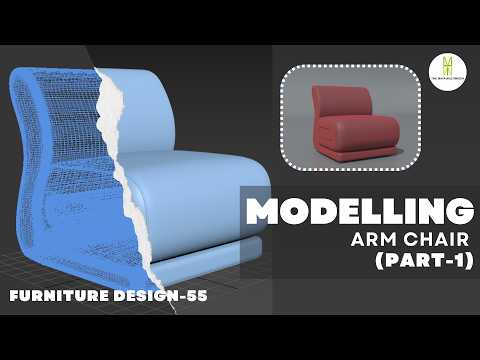
Furniture design is one of the most rewarding aspects of 3D visualization. Whether you are building an interior architectural scene or crafting assets for digital environments, knowing how to create realistic seating is an essential skill. In this tutorial guide, we will explore the step-by-step process of modeling a modern armchair using 3ds Max.
This first part focuses on establishing the core structure, setting up references, and mastering the block-out phase to ensure accurate proportions.
Setting Up Your Reference and Base Shapes
Before diving into complex geometry, establishing a solid foundation is crucial. Start by importing high-resolution reference images—top, front, and side views—into your viewport. Matching real-world dimensions early in the workflow prevents costly adjustments later on.
Once your reference planes are ready, begin with basic 3D primitives like Boxes or Chamfer Boxes. By converting these primitives into an Editable Poly in 3ds Max, you unlock powerful polygon modeling tools that allow you to reshape, extrude, and manipulate vertices with precision.
Crafting the Armchair Framework
With the primary primitives in place, focus on shaping the distinct components of the armchair:
- The Seat Cushion: Use edge loops and inset tools to introduce a soft, natural curvature rather than a rigid, blocky look.
- The Backrest & Armrests: Extrude polygons upwards and outwards to follow the chair's natural silhouette. Keep your geometry clean and relatively low-poly at this stage so modifications remain quick and effortless.
- The Base and Legs: Draft the legs using simple cylinders or swept splines, ensuring they align naturally with the main seat frame.
Refining Surfaces with Modifiers
To turn hard-angled edges into believable, comfortable cushions, make use of subdivision techniques. Applying modifiers such as TurboSmooth or OpenSubdiv will smooth out your mesh while keeping the underlying base geometry simple to manage. Pay close attention to subtle bevels and soft edges, as these small details catch the light and add instant realism.
What’s Next?
Mastering 3D furniture modeling in 3ds Max opens up endless creative possibilities for interior designers and 3D artists alike. Now that you have the primary form of your armchair blocked out with clean topology, you are ready to move on to advanced detailing, fabric wrinkles, and UV unwrapping in Part 2.


