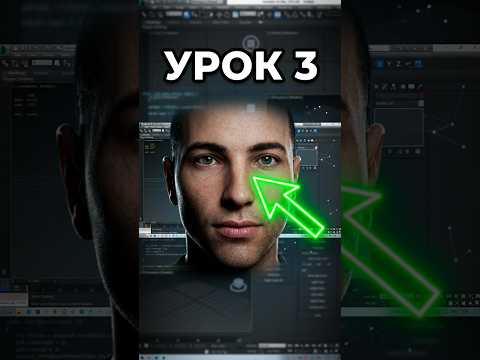
Creating memorable Non-Player Characters (NPCs) is a fundamental skill for game developers and 3D artists alike. A distinct, well-crafted face adds personality and narrative depth to any virtual world. If you are a beginner looking to build custom character assets from scratch, using industry-standard software like 3ds Max makes the entire character modeling workflow structured and manageable.
In this step-by-step guide, we will walk through the essential process of designing and sculpting a unique 3D NPC face for your game project.
Step 1: Setting Up Your Blueprint and Reference Views
Before manipulating vertices, you need a solid visual foundation. Gather front and profile reference photos or concept sketches of the face you want to build. Inside 3ds Max, construct a reference rig by creating cross-section planes and assigning your artwork as textures. Proper alignment in your viewports ensures accurate facial proportions throughout the modeling process.
Step 2: Blocking Out the Base Geometry
Start with a simple primitive, such as a box or plane, and convert it into an Editable Poly. Focus on blocking out the primary volumes of the head before adding complex details. Concentrate on placing your main geometry around key anatomical landmarks: * Defining the eye sockets and brow ridge * Sculpting the nose bridge and nostrils * Shaping the cheeks, chin, and jawline
Step 3: Establishing Clean Facial Topology
For game-ready NPCs, proper edge flow is crucial—especially if the character will be animated for dialogue or facial expressions. Construct clean, circular edge loops around the eyes and mouth. This topology allows the facial mesh to deform naturally during animation without causing visual stretching or shading errors.
Step 4: Refining and Optimizing the Mesh
Once the fundamental shape and topology are established, refine the features by adjusting individual vertices and smoothing out harsh angles. Keep your overall polygon budget in mind to ensure your 3D model performs smoothly in modern game engines.
Conclusion
Designing a custom face from scratch may feel challenging initially, but breaking the workflow into simple phases makes it easy to master. By building your digital sculpting skills in 3ds Max, you can populate your game worlds with a wide variety of original, believable characters. Gather your references and start modeling your first NPC face today!


