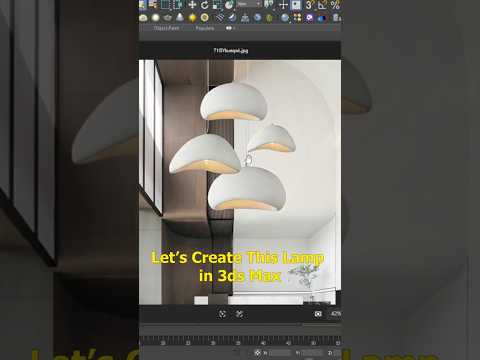
Elevate Your Scene with Custom Interior Assets
Lighting plays a pivotal role in architectural visualization and 3D scene design. Whether you are building a modern living room render or practicing your product visualization skills, learning how to create custom 3D assets in 3ds Max is an essential workflow step. In this guide, we will break down how to design a modern, stylish lamp from scratch using simple yet powerful modeling techniques.
Step 1: Base Geometry and Structural Thickness
Start by creating a simple primitive geometry, such as a cylinder or sphere, to serve as the foundation for your lamp base and shade. Apply an Edit Poly modifier to manipulate the vertices, edges, and polygons, giving the object its refined shape. Once you are satisfied with the overall silhouette, apply the Shell modifier. This crucial step adds realistic wall thickness to your geometry, ensuring your lampshade looks like a solid physical object rather than an infinitely thin surface.
Step 2: Adding Natural Imperfections with the Noise Modifier
Static, perfectly smooth surfaces can often make 3D renders look artificial. To inject realism and subtle tactile depth into your lamp design, add a Noise modifier to your stack. By adjusting the scale and fractal parameters, you can generate soft surface ripples or artistic procedural distortions that capture surrounding light dynamically across the lamp's body.
Step 3: Illuminating Your Model with Mesh Light
A lamp isn't complete without realistic light emission. Instead of relying solely on standard point or spot lights inside the shade, convert part of your lamp geometry—such as the bulb or inner shade—into a Mesh Light. Setting up mesh lighting in 3ds Max allows your custom mesh to emit soft, physically accurate illumination that naturally interacts with surrounding materials and interior surfaces.
Final Thoughts
Building detailed interior props does not have to be complex. By combining foundational modifier stacks with light emission techniques, you can produce professional-grade assets efficiently. Mastering these core workflows in 3ds Max will significantly elevate the overall quality and realism of your 3D scenes.


