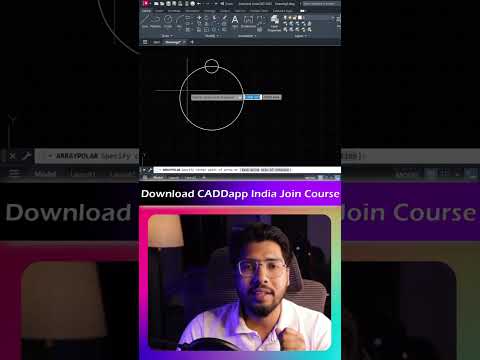
Creating radial or circular patterns manually can be a frustrating and time-consuming process for drafters and 3D artists. Whether you are arranging mechanical gears, architectural columns, or circular seating arrangements, efficiency requires automation. The Polar Array command is one of the most powerful tools in computer-aided design, allowing you to generate perfectly spaced circular repetitions in seconds.
What is the Polar Array Command?
The Polar Array tool duplicates selected objects in a circular pattern around a specified center point or axis of rotation. Instead of manually copying and rotating individual elements, you can define the total number of items, the fill angle, and the distance between elements with absolute mathematical precision.
Whether you are preparing clean 2D floor plans or constructing detailed base geometries for complex visual projects in 3ds Max, mastering array tools is essential for maintaining accuracy and speeding up your design pipeline.
Step-by-Step Guide to Using the Polar Array Tool
- Select Your Source Object: Begin by choosing the object or geometry you wish to replicate in a radial pattern.
- Activate the Command: Type
ARRAYPOLARinto your command line or select the Polar Array icon from the modify panel. - Specify the Center Point: Click to select the pivot point around which your objects will rotate.
- Adjust Items and Fill Angle: Use the array creation tab or command prompt to enter the desired number of items (e.g., 6, 12, or 24) and set the fill angle (typically 360 degrees for a full circle).
- Close the Array: Once satisfied with the preview, confirm the action to complete the pattern.
Enhancing Your 3D Visualization Pipeline
Clean 2D drafting forms the foundation of great 3D assets. By creating accurate, arrayed CAD geometry early in the design process, importing your vector layouts into 3ds Max for high-end 3D modeling and photorealistic rendering becomes a seamless experience. Rather than rebuilding complex radial structures from scratch in 3D, a well-structured array allows you to extrude and transform shapes instantly.
Conclusion
Mastering the Polar Array command is a fundamental skill that significantly boosts drafting productivity and geometric precision. Integrate this quick tool into your daily workflow to save time, eliminate alignment errors, and prepare optimal design assets for downstream rendering software.


