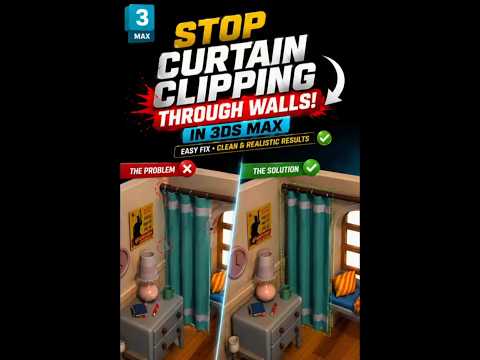
When creating photorealistic interior visualizations, the smallest details can either elevate your final image or instantly betray its digital nature. One of the most common beginner errors in 3D interior design is mesh clipping—specifically, fabric curtains passing directly through solid walls or window frames. If you want to achieve clean, professional renders, learning how to properly position your window treatments in 3ds Max is an essential workflow fix.
Why Geometric Clipping Harms Your Renders
Geometric intersection occurs when two separate 3D meshes overlap in the same space. When curtain assets clip through surrounding architecture, several visual problems occur:
- Lighting and Shadow Artifacts: Modern render engines struggle to calculate light bounce correctly at intersecting boundaries, often resulting in unnatural dark splotches or light leaks.
- Loss of Realism: In the physical world, fabric drapes and rests against hard surfaces rather than phasing through them. Viewers subconsciously spot these impossibilities right away.
- Wasted Time in Post-Production: Fixing clipping errors during image post-processing takes far more effort than correcting the geometry before rendering.
Easy Ways to Prevent Curtain Wall Intersections
Fixing wall clipping does not require a complex, time-consuming technique. You can quickly eliminate geometric overlap using a few straightforward methods:
- Precision Snapping: Use vertex or edge snapping tools to align the curtain rod and upper folds precisely against the wall boundary without letting the mesh penetrate structural surfaces.
- Proper Collision Objects: If you are running dynamic cloth simulations inside 3ds Max, ensure that your walls and window frames are assigned as passive collision objects with an adequate offset thickness setting. This guarantees that fabric vertices naturally fold against the surface.
- Soft Selection Adjustments: For pre-modeled stock assets, add an Edit Poly modifier, activate Soft Selection, and gently push overlapping fabric folds back into the interior space.
Achieve Professional Architectural Renders
Taking an extra minute to inspect object intersections before launching your final render queue will drastically improve the quality of your work. By eliminating overlapping geometry and ensuring physically plausible asset placement, your 3ds Max interior scenes will appear far more realistic, polished, and ready for your portfolio or client presentation.


