Transitioning between rendering engines in 3ds Max can often feel like a tedious task, especially when dealing with complex material libraries. If you have legacy scenes built with Corona Renderer and want to switch to standard shaders compatible with modern render engines, converting your assets is essential. Converting your shaders to native Physical Materials ensures maximum compatibility—especially if you are relying on 3ds Max Arnold as your primary rendering engine.
Why Convert Corona Materials to PhysicalMaterial?
The Physical Material in Autodesk 3ds Max has become the industry standard for PBR (Physically-Based Rendering) workflows. It provides a universal, highly optimized shading structure that renders predictably across multiple software suites and engines.
When working with 3ds Max Arnold, using native Physical Materials eliminates shader translation errors, speeds up render setup times, and guarantees accurate lighting and reflection behaviors. Instead of manually rebuilding dozens of complex materials map by map, automating this conversion process saves 3D artists countless hours of repetitive labor.
Fast & Free Shader Conversion with Converter Pro v2.0
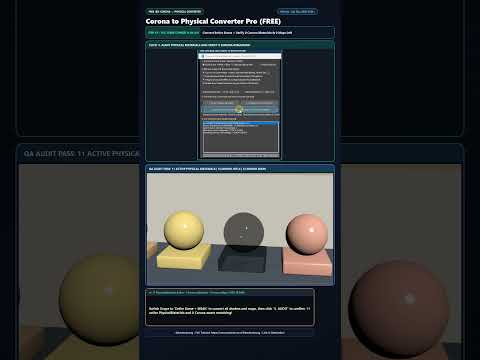
To streamline your pipeline, the Corona to Physical Material Converter Pro v2.0 script offers a fast, automated solution. Available completely free on Gumroad, this powerful MAXScript intelligently converts up to 10 different Corona material types and 14 native Corona maps directly into standard 3ds Max Physical Materials and universal maps.
Key features of this tool include: - Comprehensive Map Support: Automatically converts complex Corona maps (such as CoronaBitmap, CoronaColor, and CoronaLayer) into native 3ds Max formats. - Batch Processing: Scans and converts entire scene assets seamlessly in just a few clicks. - Pipeline Ready: Prepares legacy assets cleanly for seamless rendering in 3ds Max Arnold or for exporting directly to real-time engines like Unreal Engine and Unity.
Upgrade Your Rendering Workflow Today
Whether you are migrating old architectural visualization scenes or standardizing your studio's asset library, converting legacy Corona shaders to PhysicalMaterial is a crucial step. Download the free Corona to Physical Material Converter Pro v2.0 tool today, simplify your asset pipeline, and unlock a smoother rendering experience in 3ds Max!


